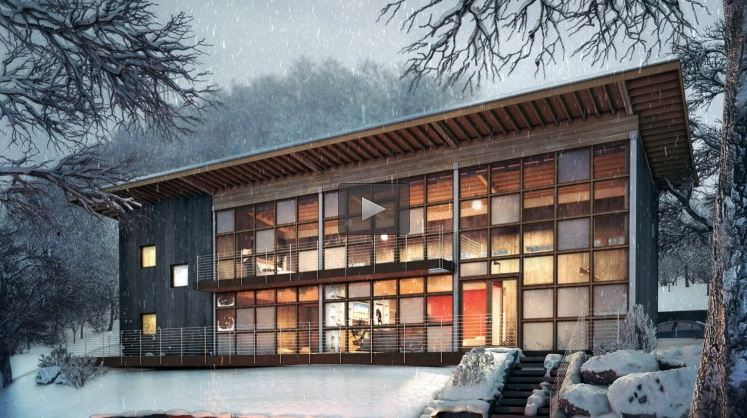
Here is another interactive test, this time with a more traditional exterior environment.
Click here to have a play around!
I wanted to keep the emphasis on the building it's self, but also to explore some of the nice features of Unity Pro, and to see whether it is worth the price, or whether to stick with Unity Free. Unity Free is brilliant, and I love the fact that you could build an entire game just using the free version if you wanted to. However the features that Unity Pro has that are missing in the free version, are the lovely, juicy bit we all love, such as real-time shadows and post-effects.
In Interactive Test 001, I built the scene using 3Ds Max, Vray and Unity Free. With this test, I used 3Ds Max and Unity Free, and a very small amount of Vray (only for the reflection cube maps). With Unity Free, you don't have real-time shadows, so all the light info has to be rendered to a separate pass, and don't get me wrong, this can often be a great way of achieving great results, but the time spent unwrapping objects, tweaking UVs, rendering, and then realising that something isn't right, and going back through the whole process again and again can be very long and tedious. With Pro, you have real-time shadows, which eliminates the need to bake lighting, but can give flatter results, due to lack of GI, but for exterior environments like this, I think the advantages of real-time lighting out-weighs the benefits of baking lighting and GI. I may do a test with the Interactive Test 001 scene with real-time lighting, and see how they compare. I'm guessing the real-time version won't look as nice, but, the time saved might be the key to making this process one that could be put into a production work-flow.
So far I have barely touched the surface of what Unity can offer, but already I think I am achieving nice results, that should run across many different PC, and other platforms too such as iOS and Android. I am finding it hard however to program in any features, but the Unity forums are great and answer pretty much any question, whether or not I understand the answer!
I also had a quick play with the built in tree editor (hence the crappy trees, I need more practice!), which again added some nice flexibility, and the fact that they slightly move with some added wind, makes them a nice little touch. I added a quick function to hide the trees also just in-case they killed any PCs (please let me know if you have any trouble with the file!) but this also made me realise how useful real-time shadows are, as when the trees are hidden, the shadows also hide, something that would be very tedious, although do-able, with baked lighting.
So, that's test 002 done, let me know what you think, what would be nice to add and to do, and whether or not you can brake it!
And before anyone asks, I really don't know if the Pro version is worth the extra cash over the free, I guess a few more tests and I might be able to tell you!
Updates will follow!
Deano